Introduction
Seeing incorrect skill values in Dwarf Therapist is a disorienting problem. You assign a dwarf to a job based on what the tool shows, only to find in-game that their actual skill level is completely different.
This disconnect between what Dwarf Therapist displays and what Dwarf Fortress records internally undermines the tool’s entire purpose. Wrong skill values are not a sign that Dwarf Therapist is fundamentally broken. They are almost always the result of a specific, identifiable mismatch between the tool and the game.
Once the cause is identified, the fix is usually straightforward and does not require reinstallation or losing any fortress data.
This guide explains why skill values appear incorrectly in Dwarf Therapist, how to diagnose which cause applies to your situation, and how to resolve each one with clear, direct steps across all supported platforms.
Quick Answer about Dwarf Therapist Shows Wrong Skill
- Wrong skill values in Dwarf Therapist are most commonly caused by a memory layout file that does not precisely match the running Dwarf Fortress version
- A stale display that has not refreshed since the last game session will show outdated values that no longer reflect current dwarf skill states
- Dwarf Therapist reads skill data from memory offsets that shift with every Dwarf Fortress release, making exact version matching mandatory for accurate display
- Skill values showing as zero across all dwarves almost always indicates the memory layout is mismatched or absent rather than a display glitch
- Values that are consistently off by a fixed amount may indicate a layout file that was written for a very similar but not identical game version
- Always use the manual refresh function inside Dwarf Therapist after loading a fortress rather than relying on auto-refresh alone
- Running Dwarf Fortress and Dwarf Therapist as mismatched versions simultaneously is the single most common cause of this problem
- Skill values for newly arrived migrants may lag behind until Dwarf Therapist performs a full roster refresh
- Do not make labor assignment decisions based on skill values until you have verified the display is showing live data
- Community-maintained memory layout files updated for the current game version are the authoritative fix for persistent wrong value issues
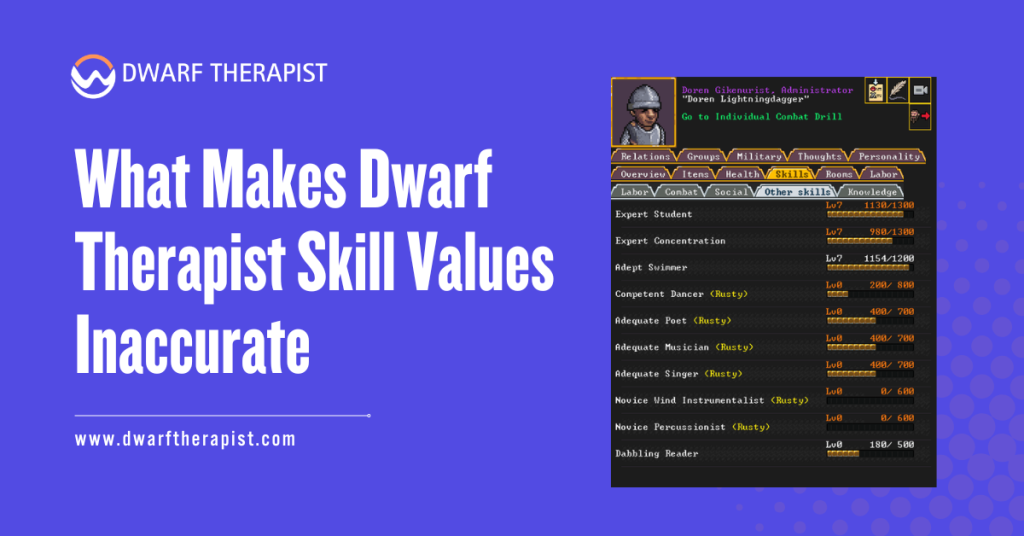
What Makes Dwarf Therapist Skill Values Inaccurate
How Skill Data Is Read From Game Memory
Dwarf Therapist does not receive skill data through any official interface with Dwarf Fortress. It locates skill values by reading specific memory addresses within the running game process, guided by offset values stored in a memory layout file. Each skill for each dwarf exists at a predictable location in memory relative to that dwarf’s base memory address, and the layout file encodes exactly where to look.
When the layout file is correct, this process is highly accurate. Dwarf Therapist finds the right memory address, reads the integer value stored there, and translates it into the skill level displayed in the grid. The entire process takes milliseconds and repeats on each refresh cycle.
When the layout file is even slightly incorrect, the wrong memory address is read. The value stored at that wrong address may be any arbitrary integer that happens to be in memory at that location.
This produces skill values that appear plausible but are completely wrong, or values that are zero when they should not be, or values that fluctuate erratically between refreshes.
Difference Between a Stale Display and a Wrong Layout
Two distinct problems produce wrong skill values, and distinguishing between them determines the correct fix. A stale display occurs when Dwarf Therapist has not refreshed its memory read since the last time game data changed. A wrong layout occurs when the memory offsets themselves are pointing to incorrect locations.
A stale display is easy to identify. The skill values shown were accurate at some earlier point in the game session but have not been updated to reflect recent changes. Dwarves who have been actively working should show increasing skill values over time, but if the display has not refreshed, it will show the values from the last successful read.
A wrong layout produces values that were never accurate. If skill values look suspicious immediately after opening Dwarf Therapist against a fresh game session, and a manual refresh does not bring them in line with in-game values, a layout mismatch is the cause.
Verifying in-game by checking a specific dwarf’s skill sheet and comparing it to what Dwarf Therapist shows for the same dwarf is the fastest diagnostic method.
How to Diagnose Which Problem You Are Facing
Step-by-Step Diagnosis Process
Start by identifying one specific dwarf whose skills you know with reasonable confidence from in-game play. Open that dwarf’s in-game profile and note their exact skill levels in two or three key areas such as mining, carpentry, or farming. Write these values down.
Switch to Dwarf Therapist and locate the same dwarf in the labor grid. Compare the skill values shown there against your notes. If the values match, the display is accurate and the problem may be intermittent or already resolved. If the values do not match, note the direction and magnitude of the discrepancy.
If Dwarf Therapist shows zero or near-zero values for a dwarf who clearly has developed skills in-game, the layout file is likely mismatched. If Dwarf Therapist shows reasonable but slightly outdated values, the display is stale and needs a refresh.
If values are wildly inconsistent across different dwarves with no clear pattern, the layout mismatch is severe enough that random memory content is being interpreted as skill data. Use the manual refresh button in Dwarf Therapist before drawing any conclusions. Some configurations rely on auto-refresh which can fall behind, and a single manual refresh resolves stale display issues immediately.
If a manual refresh brings values into alignment with in-game data, the problem was staleness rather than a layout issue.
Checking Your Version Pair
Open Dwarf Fortress and note the exact version number displayed on the main menu. It will follow a format such as v0.47.05 for classic Bay 12 releases or a numerical build identifier for the Steam version. Write this number down precisely including all digits.
Open the layouts directory within your Dwarf Therapist installation. This folder contains one or more files with names that include version identifiers.
Confirm that a layout file exists whose name corresponds exactly to your game version. An approximate match is not sufficient. A layout file written for v0.47.04 will not produce accurate results when used with v0.47.05 even though they are adjacent releases.
If no matching layout file is present, the tool is operating without valid guidance for your game version.
Every skill value it displays in this state is effectively noise drawn from unpredictable memory locations. The fix in this case is obtaining the correct layout file before doing anything else.
Common problems and their direct resolutions:
- All skill values show as zero: Layout file is missing or does not match the game version; obtain the correct layout from the Dwarf Therapist GitHub repository
- Skill values are plausible but consistently lower than in-game: Layout file is for a similar but older version; locate the precise matching layout for your exact game build
- Values update correctly for some dwarves but not others: Newly arrived migrants may not yet be indexed; trigger a full roster refresh from the Dwarf Therapist menu
- Skill values fluctuate randomly between refreshes: The layout offset for skill data is pointing to dynamic memory that changes frequently; this is a layout mismatch symptom requiring a correct layout file
- Display shows correct values initially but drifts wrong over a long session: Auto-refresh may be falling out of sync; use manual refresh periodically during long play sessions
How to Fix Wrong Skill Values in Dwarf Therapist
Obtaining and Installing the Correct Memory Layout File
The memory layout file is the most critical component for accurate skill display. Navigate to the official Dwarf Therapist GitHub repository and go to the releases section. Locate the release that matches your installed Dwarf Fortress version and download it. Inside the release archive, the layouts directory will contain the layout file for that game version.
If the release for your version does not include a standalone layout file download, extract the full release archive and copy only the relevant layout file from the layouts subdirectory.
The file will have a name containing your game version number and a .ini or .json extension depending on the Dwarf Therapist version. Place the downloaded layout file into the layouts directory of your existing Dwarf Therapist installation. Do not replace any existing layout files.
Close Dwarf Therapist if it is running, then relaunch it with Dwarf Fortress already running and a fortress loaded. Perform a manual refresh and compare the displayed skill values against in-game values for a known dwarf to verify accuracy.
If the GitHub releases page does not have a layout file for your specific version, check the community-maintained layout files shared in the Bay 12 Forums Dwarf Therapist thread.
Community members frequently produce and share layout files for versions that fall between official releases, particularly for popular minor patch versions.
Fixing Stale Display and Refresh Issues
If the layout file is confirmed correct but values still appear outdated, the refresh system is the source of the problem. Open the Dwarf Therapist settings and locate the refresh interval configuration. Reduce the interval value to cause more frequent automatic memory reads.
The optimal setting depends on your hardware but a value between two and five seconds provides a responsive display without excessive CPU load on most modern systems.
Enable the option to trigger a full roster refresh when new dwarves are detected if this option is available in your version. This ensures that migrant waves and newly created dwarves are immediately read rather than waiting for the next scheduled cycle.
For persistent staleness during long sessions, develop a habit of using the manual refresh function at key moments in gameplay such as after a migrant wave, after a seasonal change, or after any significant labor reorganization.
This takes one second and guarantees the display reflects current game state before you make any assignment decisions.
| Wrong Value Symptom | Most Likely Cause | Verification Method | Fix |
| All skills show zero | Missing or wrong layout file | Check layouts directory for version match | Download correct layout from GitHub |
| Values lower than in-game | Layout from older similar version | Compare layout filename to exact game version | Replace with precisely matched layout file |
| Values drift wrong over time | Stale display or auto-refresh lag | Manually refresh and compare | Reduce refresh interval, use manual refresh |
| Random erratic values | Severe layout offset mismatch | Check all values against in-game profile | Correct layout file required |
| New migrants show wrong skills | Roster not yet refreshed | Trigger full roster refresh | Use manual full refresh after migrant arrival |
| Correct at launch then wrong later | Game version updated mid-session | Confirm game version after any updates | Re-verify layout file match after updates |
Post-Fix Verification and Preventing Recurrence
Confirming the Fix Worked Correctly
After applying any fix, verify accuracy before using Dwarf Therapist to make labor decisions. Select three or four dwarves from different skill backgrounds, a new migrant with few skills, a mid-level craftsdwarf, and a veteran specialist. Check each of their skill levels in-game through their individual profile screens, then compare those values to what Dwarf Therapist shows.
If all three match, the fix is confirmed and the display is reliable. If any discrepancies remain, repeat the layout file verification step and confirm that the file in your layouts directory was not accidentally replaced with an older version during the fix process.
Perform this spot-check verification whenever Dwarf Fortress receives an update. A game update invalidates the existing layout file, and the first sign of this invalidation is often wrong skill values rather than an explicit error message.
Catching it through verification before making labor decisions avoids acting on bad data.
Preventing Wrong Skill Values in Future Sessions
The most effective prevention is maintaining a disciplined approach to version management. When Dwarf Fortress updates, pause before launching Dwarf Therapist and confirm that a layout file for the new version is available.
If it is not yet available, wait until the community has published one before using Dwarf Therapist to make any labor decisions. Subscribe to or watch the Dwarf Therapist GitHub repository to receive notifications when new releases or layout file updates are published.
This means you will know immediately when a compatible update is available following a Dwarf Fortress release, rather than discovering the mismatch through incorrect skill values during an active play session.
Keep your layouts directory clean by removing layout files for versions of Dwarf Fortress you no longer use. A cluttered layouts directory does not cause wrong value problems directly, but it makes it harder to confirm at a glance that the correct file is present for your current version.
Frequently Asked Questions
Why do all my dwarves show zero skill values even though they are clearly skilled in-game?
Zero skill values across all dwarves is the signature symptom of a missing or completely mismatched memory layout file. Dwarf Therapist is reading memory at addresses that contain no valid skill data for your game version.
Download the layout file that precisely matches your Dwarf Fortress version from the Dwarf Therapist GitHub repository and place it in the layouts directory.
How do I know which memory layout file is correct for my game version?
The layout file name will contain the Dwarf Fortress version number it was written for. Match this exactly to the version shown on the Dwarf Fortress main menu screen.
Do not use a layout file from an adjacent version even if no exact match is available, as the offset values will differ and produce inaccurate results. If no exact match exists, check the community threads for a manually created layout for your specific version.
Can wrong skill values in Dwarf Therapist cause incorrect labor assignments in-game?
Yes. If you enable or disable labors based on skill values that are wrong, the resulting assignments may not match your intentions for your workforce.
For example, disabling mining for a dwarf because Dwarf Therapist incorrectly shows them as unskilled would remove a veteran miner from their role. Always verify skill accuracy before making labor decisions based on Dwarf Therapist data.
Does a manual refresh always fix stale skill value displays?
A manual refresh resolves staleness caused by the auto-refresh falling behind. It does not fix values that are wrong due to a layout mismatch. If a manual refresh brings values into alignment with in-game data, the issue was staleness.
If values remain wrong after a manual refresh, the layout file is the cause and needs to be replaced with the correct version.
Skill values were correct yesterday but are wrong today after updating Dwarf Fortress. What happened?
Updating Dwarf Fortress changes the memory structure of the game executable. The layout file that was accurate for the previous version no longer points to the correct memory addresses in the updated version.
This is expected behavior, not a bug. You need a layout file written specifically for the new Dwarf Fortress version, which will typically be available from the Dwarf Therapist GitHub repository shortly after the game update is released.
Some dwarves show correct skills but others in the same fortress show wrong values. Why?
This pattern often occurs after a migrant wave when the new arrivals have not yet been fully indexed by Dwarf Therapist. Trigger a full roster refresh from the menu to force Dwarf Therapist
to re-read all dwarves including recent additions. If the problem persists after a full refresh, check whether the affected dwarves have any
unusual characteristics such as being part of a visiting caravan rather than actual fortress residents, as non-resident entities are sometimes read differently.
Is there a way to tell Dwarf Therapist to ignore skill display and only show labor assignments?
Dwarf Therapist does not have a mode that hides skill data entirely from the grid. However, you can minimize the visual prominence of skill columns by adjusting the display settings to collapse or narrow those columns. This does not improve accuracy but reduces the risk of acting on wrong skill data by making labor assignment columns the primary visual focus.
How long does it usually take for the community to release a layout file after a new Dwarf Fortress update?
For major releases with large community interest, a compatible layout file is typically available within a few days to a week.
For minor patches, response time varies. Monitoring the Dwarf Therapist GitHub repository issues and the Bay 12 Forums thread dedicated to Dwarf Therapist gives the most current information on layout file availability following any specific game update.
Latest Post:
- How Dwarf Therapist Works (Labors, Skills & Assignments Explained)
- Dwarf Therapist Supported Versions (Steam & Classic)
- Dwarf Therapist Features You Should Know (Reports, Filters, Profiles)
- Is Dwarf Therapist Safe? Security, Mods & Stable Downloads
- Dwarf Therapist vs In‑Game Manager Tools (Pros & Cons)