Introduction
Dwarf Therapist is one of the most widely used third-party utilities in the Dwarf Fortress community. It provides a visual, grid-based labor management interface that reads live data from an active game session, giving players a level of control and oversight that the vanilla game interface does not natively replicate in the same format.
For Windows users, the installation process is straightforward once you know the correct source, version requirements, and configuration steps. Skipping any of these steps is the most common cause of connection failures and data display errors that new users encounter.
This guide covers the full process from download through first launch, including compatibility checks, common errors, and safe usage practices. It is written for informational purposes and reflects community-verified procedures for the Windows platform.
Quick Facts How to Download & Install Dwarf Therapist on Windows
- Dwarf Therapist is a free, open-source application available via its official GitHub repository
- It runs alongside an active Dwarf Fortress session and reads game memory in real time
- Windows is the most consistently supported platform for Dwarf Therapist builds
- Version matching is mandatory Dwarf Therapist must match your installed version of Dwarf Fortress
- The application does not modify game files; it reads memory data only
- Administrator privileges may be required on some Windows systems for memory access
- Antivirus software occasionally flags memory-reading utilities as suspicious; this is a known false positive pattern
- Dwarf Therapist is not officially supported or endorsed by Bay 12 Games, the developer of Dwarf Fortress
- The tool is compatible with both the free classic version and the Steam Premium release of Dwarf Fortress
- Always download from the verified GitHub repository to avoid unofficial or outdated builds
What Is Dwarf Therapist and Why Windows Users Need the Right Version
Understanding Version Dependency and Compatibility
Dwarf Therapist works by connecting to the Dwarf Fortress process’s memory. It reads specific memory addresses to extract data about your dwarves, including their skills, labors, stress levels, and current assignments. Because these memory addresses are unique to each version of the game, a mismatch between your game version and your Dwarf Therapist version will result in incorrect or missing data.
This version dependency is the single most important factor to understand before downloading. Bay 12 Games updates Dwarf Fortress periodically, and each update can shift the memory layout the tool depends on.
Community maintainers on GitHub release matching updates for Dwarf Therapist, but there is often a short window after a game patch where no compatible version is yet available.
Before downloading, confirm your exact Dwarf Fortress version number. In the classic free version, the version number appears on the main menu screen. In the Steam Premium release, it is visible in the game properties within your Steam library.
What the Tool Does and Does Not Do on Windows
On Windows, Dwarf Therapist launches as a standalone executable. It does not install in the traditional sense through a system-level installer.
Instead, it runs from a folder you place anywhere on your system, which also makes it easy to remove without leaving registry entries or system files behind.
- It reads dwarf labor assignments and allows batch editing across multiple dwarves
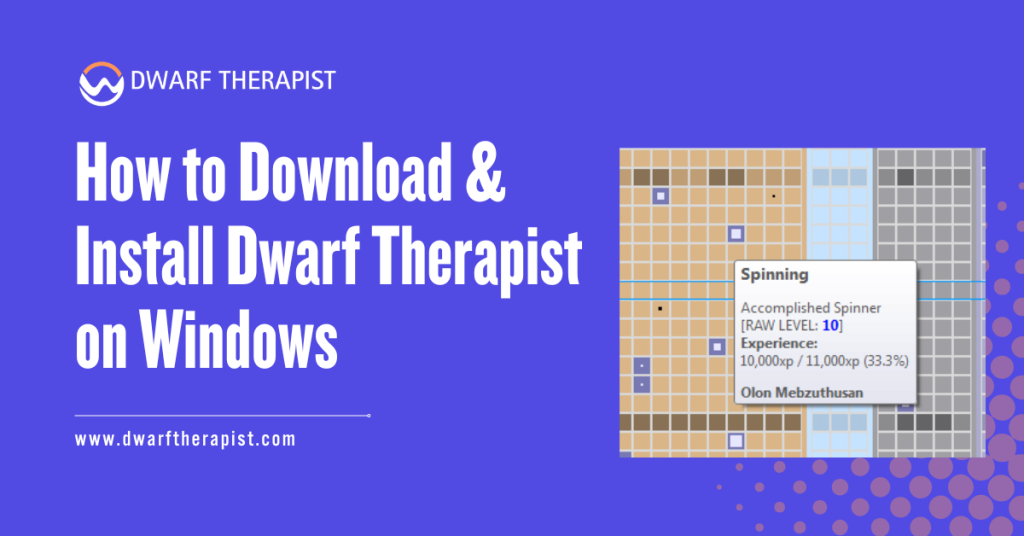
- It displays skill levels, mood indicators, and role assignments in a sortable grid
- It does not write to your save files or game installation directory
- It does not require an active internet connection after download
- It does not function without a running Dwarf Fortress session open in the background
- It cannot be used as a standalone fortress planner or offline reference tool
- Performance impact on your system is generally minimal during normal use
Players using the Steam Premium version should specifically seek out builds labeled for that release, as the memory structure differs from the classic free version.
How to Download Dwarf Therapist Safely on Windows
Finding the Official GitHub Repository
The only verified and safe source for Dwarf Therapist is its official GitHub repository. Search for “Dwarf Therapist GitHub” and look for the repository under the community maintainer account that shows recent commit activity and active release tags.
The repository will have a Releases section on the right side of the page listing all available versions with their corresponding Dwarf Fortress compatibility notes. Do not download Dwarf Therapist from forum posts, file-sharing sites, or third-party mirrors.
These sources may host outdated versions that are incompatible with current game releases, or in rare cases, modified builds with unknown changes to the codebase.
Steps to locate and download the correct release:
- Navigate to the official Dwarf Therapist GitHub repository
- Click the Releases section to view all available versions
- Match the release version to your Dwarf Fortress version number using the release notes
- Download the Windows archive file, typically provided as a ZIP file containing the executable and required support files
- Save the ZIP file to a location you can easily access, such as your Desktop or a dedicated games utilities folder
Verifying the Download Before Extraction
After downloading, take a moment to verify the file before extracting it. Check the file size against what is listed on the GitHub release page. A significantly smaller file than expected may indicate an incomplete download.
Security note for Windows users: Some antivirus applications, including Windows Defender, may flag Dwarf Therapist during download or extraction because memory-reading applications share behavioral patterns with monitoring software.
This is a documented false positive. If you trust the source as the verified GitHub repository, you can allow the file through your antivirus.
If you are uncertain, you can upload the file to a service like VirusTotal for a multi-engine scan before running it.
- Right-click the downloaded ZIP file and select Extract All or use a tool like 7-Zip
- Extract to a permanent folder location, not a temporary directory
- Avoid placing it inside the Dwarf Fortress installation folder itself to keep things cleanly separated
- Confirm the extracted folder contains the main executable file and any accompanying configuration or resource files listed in the release notes
Installing and Configuring Dwarf Therapist on Windows
First Launch and Initial Setup
Dwarf Therapist does not use a traditional installer. Once extracted, the application is ready to run from the folder. However, the launch sequence matters.
You must start Dwarf Fortress first and load or generate a fortress before opening Dwarf Therapist. Launching the tool before the game is running will result in a connection error or blank dwarf list.
Follow this sequence for a successful first launch:
- Open Dwarf Fortress and load an existing save or start a new fortress
- Wait until you are in an active gameplay session with dwarves present
- Navigate to your extracted Dwarf Therapist folder
- Right-click the executable and select Run as Administrator if you encounter connection issues on standard launch
- Allow any Windows security prompt that appears, as the application requires permission to read process memory
- The Dwarf Therapist window should open and populate with your current dwarf roster within a few seconds
If the roster does not populate, the most common cause is a version mismatch. Confirm again that your Dwarf Therapist release matches your exact Dwarf Fortress version before troubleshooting further.
Configuring Labor Roles and Display Settings
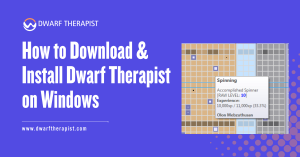
Once connected, Dwarf Therapist presents a grid with your dwarves listed as rows and available labors displayed as columns. Checkboxes indicate current labor assignments, and you can click individual boxes or select multiple dwarves to apply batch changes.
Common setup and configuration problems and practical solutions:
- Dwarf list appears blank after launch Confirm the game is running with an active session loaded, not on the main menu or world generation screen
- Labors do not save after assignment Some versions require you to trigger a small in-game action such as unpausing briefly after making changes in Dwarf Therapist for assignments to register
- Application crashes on launch Check that you are running a compatible version and that no other memory-reading utilities are running simultaneously
- Missing dwarves in the roster This typically indicates a version mismatch where memory offsets are reading incorrectly; update to the matching release
- Windows Defender blocking the executable Add an exclusion for the Dwarf Therapist folder in your Windows Security settings after confirming the source
- Administrator prompt appears every launch Create a shortcut with Run as Administrator set permanently in the shortcut properties to avoid repeating this step
Role definitions in Dwarf Therapist allow you to create custom labor profiles. A role groups a set of labors together under a named category, which you can then apply to multiple dwarves at once.
Setting up roles for common dwarf types, such as dedicated miners, haulers, craftsdwarves, and military personnel, saves significant time during migrant waves when new dwarves arrive and need quick assignment.
The display can be customized to show or hide specific labor columns, reducing visual clutter for players who only manage a subset of available labors. Column headers are clickable for sorting, allowing you to quickly find your most skilled dwarves in a given area.
Using Dwarf Therapist Effectively After Installation
Best Practices for Ongoing Use
Dwarf Therapist is most valuable as a periodic management tool rather than something you leave open continuously during gameplay. Opening it when a migrant wave arrives, after a significant skill-change season, or when reorganizing your workforce gives you the clearest, most actionable snapshots of your population.
Leaving it open during intense gameplay moments such as sieges or large construction projects adds minimal value and introduces a slight risk of the tool falling out of sync temporarily if the game pauses for extended periods or if saves and loads occur while the tool is connected.
- Always relaunch Dwarf Therapist after loading a save file to ensure it reconnects to the new game process state
- Use the stress and mood columns to identify dwarves approaching dangerous unhappiness thresholds before they become a fortress problem
- Regularly audit your labor distribution to prevent a small group of dwarves from being overburdened while others sit idle
- Do not use Dwarf Therapist as a substitute for learning the in-game unit manager, particularly if you are new to Dwarf Fortress, as understanding native systems remains foundational
Keeping Dwarf Therapist Updated
Staying current with Dwarf Therapist updates is essential for reliable functionality. After any Dwarf Fortress update, check the GitHub repository releases page before launching the tool again.
Using an outdated version after a game update is the leading cause of data errors and crashes. Subscribe to or bookmark the GitHub repository to receive notifications when new releases are posted. Most significant game updates receive a corresponding Dwarf Therapist update within a few days to a couple of weeks, depending on the maintainer’s availability.
Players who update Dwarf Fortress through Steam should be particularly attentive, as Steam can apply game updates automatically. Enable repository update notifications so you are not caught running a mismatched configuration.
If you need to continue playing immediately after a game update and no compatible Dwarf Therapist version is yet available, use the native in-game labor management tools as a temporary alternative.
The in-game tools are always version-accurate and require no external compatibility management.
Frequently Asked Questions
Is Dwarf Therapist free to download and use?
Yes. Dwarf Therapist is a free, open-source application. It is developed and maintained by community contributors and is available at no cost through its official GitHub repository.
Do I need to install Dwarf Therapist like a normal program?
No. Dwarf Therapist runs as a portable application from an extracted folder. There is no system-level installer, no registry entries are created, and removing it is as simple as deleting the folder.
Why does Windows Defender flag Dwarf Therapist as suspicious?
Antivirus tools sometimes flag memory-reading applications because their behavior resembles monitoring or injection software.
Dwarf Therapist does not modify the game but does read its memory, which triggers heuristic flags. This is a known false positive. Downloading only from the verified GitHub repository ensures you have the legitimate build.
Does Dwarf Therapist work with the Steam version of Dwarf Fortress?
Yes, but you must use a release specifically built for the Steam Premium version. The classic free version and the steam Premium version have different memory structures, and using the wrong build will result in connection or data errors.
What should I do if Dwarf Therapist shows an empty dwarf list?
Confirm that Dwarf Fortress is running with an active fortress session fully loaded. Dwarf Therapist cannot connect during world generation, the main menu, or the embark screen. Also confirm version compatibility between the two applications.
Can Dwarf Therapist damage my save files?
Dwarf Therapist reads game memory and does not write to save files or the game installation directory. The risk of saving corruption from the Dwarf Therapist itself is not a documented issue when using the legitimate build from the official repository.
Do I need administrator rights to run Dwarf Therapist on Windows?
Not always, but administrator privileges are recommended or required on some Windows configurations for the application to access game process memory. If the tool fails to connect, try right-clicking the executable and selecting Run as Administrator.
What do I do when a new Dwarf Fortress update breaks Dwarf Therapist?
Stop using Dwarf Therapist until a compatible update is released. Check the GitHub repository releases page for a new version. In the meantime, use the native in-game labor management interface, which is always fully compatible with the current game version.
Latest Post:
- Domain WHOIS: A Complete Guide to Domain Registration Information
- How Dwarf Therapist Works (Labors, Skills & Assignments Explained)
- Dwarf Therapist Supported Versions (Steam & Classic)
- Dwarf Therapist Features You Should Know (Reports, Filters, Profiles)
- Is Dwarf Therapist Safe? Security, Mods & Stable Downloads