Introduction
Managing skills and training priorities with Dwarf Therapist is one of the most practical aspects of running a successful fortress in Dwarf Fortress. Without a reliable external management tool, tracking individual dwarf skill sets across dozens or hundreds of units becomes an overwhelming task.
Dwarf Therapist serves as an external companion application that reads live game data and presents it in a structured, editable grid format.
It allows players to assign labors, filter skill levels, and build specialized workforces with precision.
Quick Facts Managing Skills & Training Priorities With Dwarf Therapist
- Dwarf Therapist is a third party management tool designed specifically for Dwarf Fortress labor and skill organization
- It connects to a running Dwarf Fortress instance and reads memory data in real time
- Players can toggle individual labors on or off across multiple dwarves simultaneously
- Skill levels are displayed numerically and categorized by profession type
- The tool supports custom profession templates that can be saved and reapplied
- Dwarves with mismatched labors will waste time on tasks they are inefficient at, reducing fortress productivity
- Training priorities can be set by enabling only the labors relevant to a dwarf’s highest skill ratings
- The grid view allows bulk editing, making large fortress management significantly faster
- Dwarf Therapist does not modify save files directly; it writes changes through game memory interaction
What Dwarf Therapist Actually Does for Skill Management
Understanding the full scope of Dwarf Therapist helps players use it more effectively rather than relying on it only for basic labor toggling.
Reading and Interpreting the Skill Grid
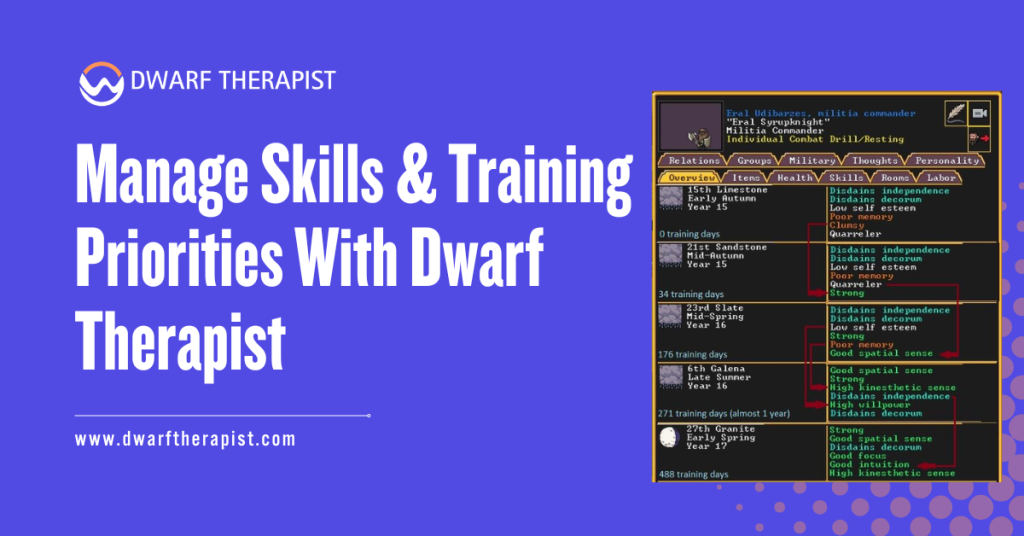
When Dwarf Therapist connects to an active game session, it populates a grid where each row represents one dwarf and each column represents a labor category. Skill levels appear as color coded numbers, ranging from 0 for unskilled up to 20 for legendary status.
Players can sort the grid by any column, making it simple to identify the best candidates for a specific role. A dwarf with a Mining skill of 12 and a Farming skill of 2 is clearly better suited for excavation work than food production.
The color gradients in the grid provide immediate visual feedback. Darker shades typically indicate higher skill investment, while pale or empty cells signal untrained areas. This allows rapid scanning without reading individual numbers for every dwarf.
Assigning Labors Based on Skill Ratings
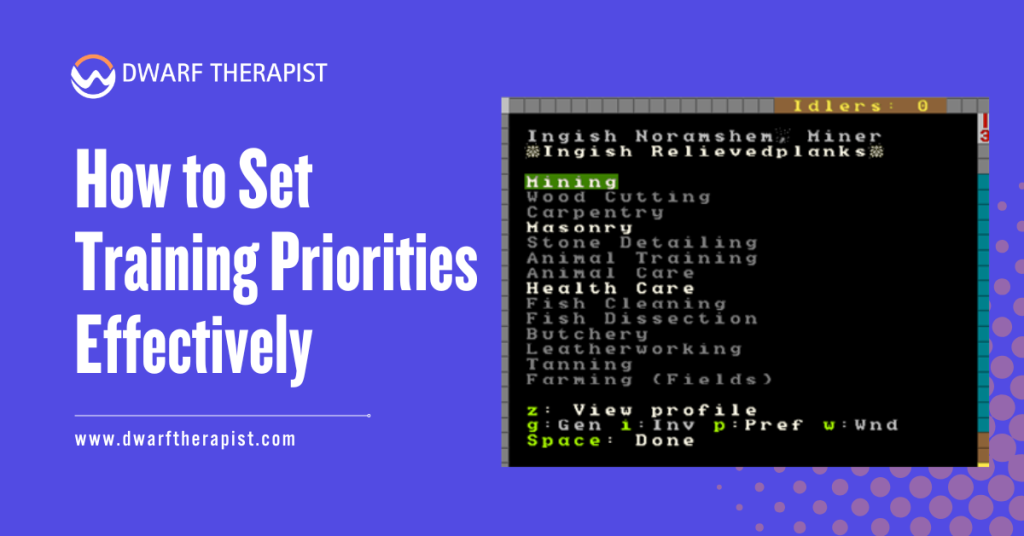
The most effective way to use Dwarf Therapist for training priorities is to match active labors directly to a dwarf’s strongest skills. Enabling labors that align with existing high skill ratings ensures dwarves perform tasks they complete quickly and with quality results.
Avoid enabling too many labors on a single dwarf. A dwarf assigned to Mining, Woodcutting, Farming, and Cooking simultaneously will spread attention across all four areas and perform none of them efficiently.
A focused labor set of two to four related tasks produces far better results. Dwarf Therapist makes this easy by allowing players to disable all labors with one click and then selectively enable only the priority ones.
Common Problems and Solutions:
- Dwarves ignoring assigned labors: Confirm the game is running and Dwarf Therapist is connected; changes do not apply when the game is paused in certain modes
- Skill levels not updating: Refresh the connection or restart Dwarf Therapist after extended play sessions
- Labors resetting unexpectedly: Some game updates require a fresh memory offset file; check the Dwarf Therapist release page for updated offset support
- Grid not showing all dwarves: Filter settings may be excluding specific unit types; reset filters to show all active citizens
- Profession names not matching: Custom profession templates may conflict with game version changes; rebuild templates after major game updates
How to Set Training Priorities Effectively
Setting training priorities in Dwarf Therapist is not just about enabling labors. It involves deliberate planning around which skills the fortress actually needs and which dwarves have the raw potential to develop those skills fastest.
Identifying High Value Skills for Your Fortress Stage
Early fortress phases typically demand heavy investment in Mining, Masonry, Carpentry, and Farming. Mid game transitions require Crafting, Smithing, and Medical skills. Late game fortresses need specialized Combat, Brewing, and Artifact creation capacity.
Dwarf Therapist allows players to sort dwarves by any skill and immediately see which units have natural aptitude in those areas. Natural aptitude, represented by attribute scores beneath skill levels, determines how quickly a dwarf will improve with practice.
Prioritizing dwarves with high Strength and Toughness attributes for military or labor roles, and those with high Creativity and Intuition for crafting roles, produces faster skill progression than assigning tasks randomly.
Building Profession Templates for Repeatable Setups
Dwarf Therapist includes a profession template system that saves a specific combination of enabled labors under a named profile. Once built, these templates can be applied to any dwarf with a single click.
Creating templates for common roles such as Dedicated Miner, Crop Farmer, Combat Medic, or Master Smith eliminates the need for repetitive manual configuration each time a new dwarf migrates to the fortress.
Template discipline is essential in large fortresses. Without saved templates, players managing 80 or more dwarves often revert to inconsistent labor assignments that create productivity bottlenecks and idle units.
| Profession Template | Recommended Labors | Target Skill Focus |
| Dedicated Miner | Mining only | Mining, Strength |
| Crop Farmer | Farming, Plant Gathering | Agriculture, Diligence |
| Combat Medic | Healthcare, Diagnosis, Surgery | Medical skills, Empathy |
| Master Smith | Smithing, Furnace Operation | Metalsmithing, Creativity |
| General Laborer | Hauling tasks only | No skill requirement |
| Siege Engineer | Mechanics, Siege Operation | Mechanics, Spatial Sense |
Advanced Skill Prioritization Strategies
Once players are comfortable with basic labor assignment, Dwarf Therapist supports more nuanced strategies that improve fortress wide efficiency significantly.
Using Filters to Find Skill Gaps
The filter system in Dwarf Therapist allows players to display only dwarves who meet specific criteria, such as those with no labors assigned, those below a certain skill threshold in a critical profession, or those currently flagged as unhappy.
Running a filter for dwarves with zero labors enabled is a fast way to catch newly arrived migrants who have not yet been configured. Leaving new migrants with default labor settings often results in skill dilution and inefficient task completion.
Filtering by skill level also helps identify dwarves who have reached a useful competency threshold and are ready for promotion to more demanding roles. A dwarf who started as a General Laborer and has now reached Skilled level in Masonry is a candidate for a dedicated Mason template.
Balancing Military Training With Civilian Labor
One of the most common challenges in Dwarf Fortress is determining how much time military dwarves should spend training versus contributing civilian labor. Dwarf Therapist helps manage this balance by making it easy to switch a dwarf between a Military template and a Civilian template depending on current fortress needs.
Do not leave military dwarves on full civilian labor while training schedules are active. The game will attempt to fulfill labor demands and pull soldiers away from drills, degrading combat readiness over time.
A recommended approach is to keep military dwarves on a limited template of one or two low priority hauling tasks during peace periods, then switch them to a Military Only template when threats are present or training quotas need to be met. Dwarf Therapist makes this template swap fast enough to execute between seasons.
Optimizing Long Term Skill Development
Long-term skill development in Dwarf Fortress requires consistent labor management over many in-game years. Dwarf Therapist provides the tools to maintain that consistency without constant manual oversight.
Tracking Skill Progression Over Time
Dwarf Therapist displays current skill levels but does not log historical progression. Players who want to track development over time should either manually track milestone levels or use supplementary record-keeping alongside the tool.
The key progression milestones to monitor are: Novice levels 1 through 4, Competent level 5, Skilled levels 6 through 9, Professional level 10, and Legendary levels 15 and above. Each milestone represents a meaningful jump in output quality and task speed.
Reaching Legendary in a core production skill, such as Brewing, Cooking, or Weaponsmithing, provides significant fortress-wide benefits. Prioritizing labor exclusivity for dwarves approaching those thresholds accelerates their arrival at Legendary status.
Avoiding Common Skill Dilution Mistakes
Skill dilution occurs when a dwarf accumulates experience across too many unrelated skills, slowing progression in every area. This is a frequent consequence of enabling too many labors in Dwarf Therapist without a structured template strategy.
New players commonly enable all labors on early migrants to cover all fortress needs. While this solves immediate shortages, it prevents any dwarf from developing true expertise and creates a workforce of generalists rather than specialists.
The more sustainable approach is to designate at least two or three dwarves as specialists in each critical area from the earliest stages of fortress development. Dwarf Therapist supports this by making it simple to enforce labor exclusivity at the individual level without disrupting other assignments.
Frequently Asked Questions
What is Dwarf Therapist and is it safe to use?
Dwarf Therapist is a community developed companion tool for Dwarf Fortress that reads and writes game memory to manage dwarf labors. It does not modify save files directly and is widely used without reported data corruption. Always use the version matched to your current game release for best compatibility.
Does Dwarf Therapist work with the Steam version of Dwarf Fortress?
Compatibility depends on the specific release version of both the game and Dwarf Therapist. Community maintained memory offset files are updated regularly to support new game versions. Check the official Dwarf Therapist repository for the latest compatible release before installing.
How do I connect Dwarf Therapist to a running game?
Launch Dwarf Fortress first, then open Dwarf Therapist. The tool will scan for an active game process and connect automatically in most cases. If connection fails, verify that both applications are running with appropriate system permissions.
Can I use Dwarf Therapist to set military training priorities?
Dwarf Therapist manages civilian labor and professional templates. Military training schedules are set within Dwarf Fortress itself through the military screen. Dwarf Therapist can help by keeping military dwarves free from conflicting civilian labor assignments.
What happens if I enable too many labors on one dwarf?
Enabling excessive labors causes dwarves to spread task attention across multiple areas, slowing skill growth in all of them. It also increases idle time as dwarves travel between unrelated job sites. Focused labor sets of two to four related tasks produce better long term results.
How often should I review labor assignments in Dwarf Therapist?
A review at the start of each in game season, or after each migrant wave, is a practical minimum. Large migrant waves may require immediate configuration to prevent new arrivals from defaulting to inefficient labor patterns.
Are profession templates shared between game saves?
Profession templates in Dwarf Therapist are stored locally and persist across different game saves. This means a template set built for one fortress can be reused when starting a new game, saving considerable setup time.
What skill level should a dwarf reach before I specialize their labor?
A dwarf who has reached Competent level 5 in a skill has demonstrated sufficient aptitude to justify full specialization. Below that threshold, maintaining one or two secondary labors is reasonable while primary skill development continues.
Latest Post:
- Domain WHOIS: A Complete Guide to Domain Registration Information
- How Dwarf Therapist Works (Labors, Skills & Assignments Explained)
- Dwarf Therapist Supported Versions (Steam & Classic)
- Dwarf Therapist Features You Should Know (Reports, Filters, Profiles)
- Is Dwarf Therapist Safe? Security, Mods & Stable Downloads