Introduction
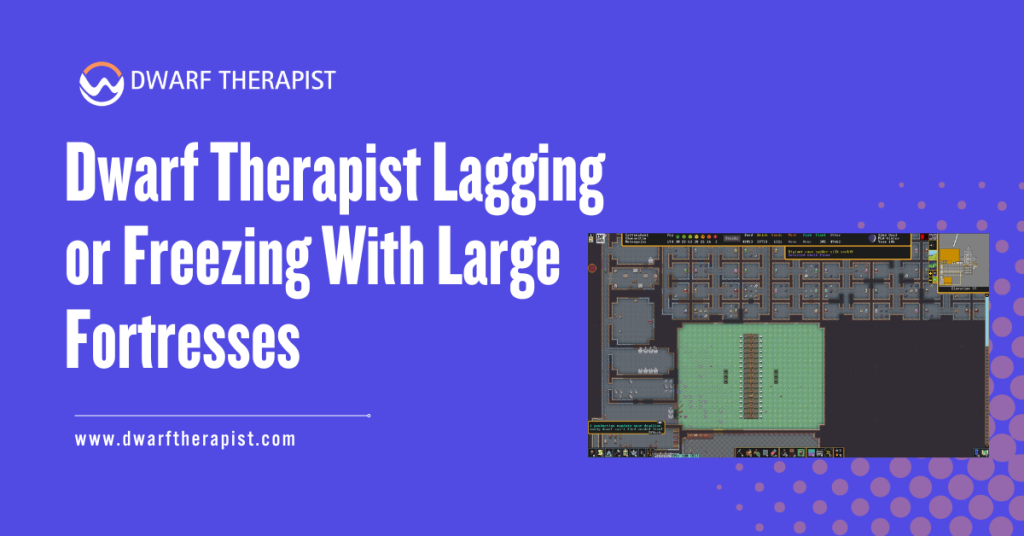
Dwarf Therapist performs well in small to mid-sized fortress populations with little noticeable overhead. Once a fortress grows beyond a certain threshold, typically somewhere in the range of 80 to 120 dwarves depending on system hardware and configuration, many players begin experiencing lag, delayed grid updates, and full application freezes that make the tool difficult to use reliably.
This performance degradation is not a random bug. It follows directly from how Dwarf Therapist reads data. Every time the tool refreshes its display, it scans the memory of the running Dwarf Fortress process across a range of addresses, one pass for each unit it is tracking.
As the roster grows, the volume of memory reads per refresh cycle grows proportionally, and on systems without sufficient processing headroom, that workload starts to exceed what can be completed within the refresh interval.
Understanding the root cause makes the available solutions logical rather than speculative. This guide covers why large fortresses cause performance problems in Dwarf Therapist, which settings and configurations reduce their impact, and when the honest answer is that the tool has reached its practical limits for a given setup. All guidance is based on community-verified procedures and is intended for informational use.
Quick Answer about Dwarf Therapist Lagging or Freezing
- Dwarf Therapist lag in large fortresses is caused by the volume of memory reads required to refresh the full dwarf roster
- Performance degrades proportionally as fortress population grows beyond roughly 80 to 120 dwarves on most systems
- Reducing the refresh rate is the single most effective configuration change for addressing lag
- Freezing during refresh is typically a sign that a single refresh cycle is taking longer than the interval between cycles
- Closing unused labor columns in the grid reduces the data the tool processes per refresh
- Running Dwarf Therapist and Dwarf Fortress on a system with low available RAM amplifies performance problems significantly
- Background applications competing for CPU time worsen Dwarf Therapist refresh performance noticeably
- The Steam Premium version of Dwarf Fortress has a more complex memory structure than the classic version, which can increase scan times at large population counts
- Dwarf Therapist is not optimized for real-time continuous operation in large fortresses and works best as a periodic management tool
- Switching to the native in-game labor tools for routine tasks reduces how often Dwarf Therapist needs to be opened in a large fortress session
What Causes Lag and Freezing in Large Fortress Sessions
Memory Read Cycle and Population Scaling
Dwarf Therapist refreshes its display by reading the memory of the running Dwarf Fortress process at a set interval. Each refresh cycle reads data for every dwarf currently in the roster, including their labor states, skill levels, mood values, and attribute data. On a small fortress with 30 or 40 dwarves, this cycle completes quickly and the tool feels responsive.
As population grows, the number of memory read operations per cycle increases linearly. A fortress of 150 dwarves requires roughly five times the memory read volume of a fortress of 30.
When the time required to complete a full cycle exceeds the configured refresh interval, the tool begins queuing refresh cycles faster than it can process them, resulting in stuttering, delayed updates, and eventual freezing that large fortress players experience.
The freeze state occurs when the application’s main thread is fully occupied by an incomplete refresh cycle. The interface becomes unresponsive because the thread handling the display is blocked waiting for memory reads that are still in progress.
This is not a crash in the conventional sense, and the tool usually recovers once the cycle completes, but on very large fortresses or underpowered systems the freeze duration can extend to several seconds per cycle.
System Resource Contention and Environmental Factors
Dwarf Fortress itself is CPU-intensive, particularly at large fortress sizes with active simulation. Running Dwarf Therapist alongside a large active fortress means two demanding processes are competing for CPU time simultaneously on the same machine.
On systems with limited CPU cores or low available RAM, this contention becomes the dominant performance factor.
The operating system scheduler allocates CPU time across competing processes, and when Dwarf Fortress is consuming a large share of available cycles to simulate a complex fortress, Dwarf Therapist receives fewer cycles to complete its memory read operations, extending the duration of each refresh cycle further.
RAM availability also plays a direct role. Memory reads across large address ranges require the operating system to page data in and out of physical memory if available RAM is constrained.
On systems with 8GB or less of RAM running both applications simultaneously alongside background system processes, paging overhead can add measurable latency to each Dwarf Therapist refresh cycle on top of the base processing cost.
How to Reduce Lag Through Configuration Changes
Adjusting the Refresh Rate Setting
The refresh rate setting controls how frequently Dwarf Therapist attempts to update its display from game memory. The default setting is calibrated for moderate fortress sizes, and reducing it is the single most impactful configuration change available for large fortress performance.
Lowering the refresh rate means the tool attempts fewer cycles per minute, giving each cycle more time to complete before the next one begins.
This eliminates the cycle-queuing problem that causes freezes and reduces the average CPU load the tool imposes during a session.
The refresh rate setting is found in the Dwarf Therapist preferences or options menu depending on your version. Setting it to a lower frequency, such as once every several seconds rather than multiple times per second, makes the grid feel less live but eliminates most freeze events in large fortress sessions.
For players using the tool periodically rather than continuously, a slow refresh rate is an entirely acceptable tradeoff.
Steps to adjust the refresh rate:
- Open Dwarf Therapist with a fortress session active
- Navigate to the preferences or options section of the application menu
- Locate the refresh rate or update interval setting
- Increase the interval value to reduce how frequently the tool scans memory
- Test with a moderate increase first and adjust further if freezing continues
- Avoid setting the interval so low that the grid never meaningfully updates during a working session
Reducing Grid Complexity and Column Count
Every visible column in the Dwarf Therapist labor grid represents a category of data being read and displayed during each refresh cycle.
Hiding columns that are not relevant to your current management task reduces the data volume processed per cycle without changing the refresh rate setting. Most players do not need all available labor columns visible at once. A fortress in a stable phase of development may only require columns relevant to production labors, with
military, medical, or hauling columns hidden until specifically needed. Using the column visibility controls to maintain only the columns relevant to your current task meaningfully reduces grid complexity.
- Right-click column headers to access visibility controls in most Dwarf Therapist versions
- Hide all columns related to labor categories your fortress is not currently actively managing
- Keep only the columns you intend to edit during the current session visible
- Restore hidden columns individually when a specific management task requires them rather than keeping all columns permanently visible
Advanced Steps for Persistent Performance Problems
System-Level Adjustments to Improve Performance
For players experiencing severe lag or extended freezes that configuration changes have not fully resolved, several system-level adjustments can improve the situation without requiring any changes to Dwarf Therapist itself.
Closing background applications before opening Dwarf Therapist frees CPU time and RAM that would otherwise be competing with both the game and the tool. Browser tabs, streaming applications, and background update services are the most common sources of resource contention on a typical gaming system.
Reducing active background load before a large fortress management session makes a measurable difference in Dwarf Therapist responsiveness.
Setting CPU process priority for Dwarf Therapist can also help. In Windows Task Manager, right-click the Dwarf Therapist process, select Go to Details, right-click the process entry, and set priority to Above Normal. This instructs the operating system scheduler to allocate CPU time to Dwarf Therapist more consistently,
reducing the variance in refresh cycle duration that produces irregular freezing patterns.
Common performance problems and practical solutions:
- Grid freezes for several seconds then recovers Reduce the refresh rate interval significantly; the freeze duration indicates a single cycle is taking longer than the current interval allows
- Lag worsens progressively as the session continues Memory fragmentation from extended sessions can contribute; close and relaunch Dwarf Therapist periodically during long fortress sessions to reset its memory state
- Freeze occurs specifically when scrolling the grid Reduce visible column count; scrolling triggers a full grid redraw that compounds the active refresh cycle load
- Performance acceptable at session start but degrades after migrations Population growth mid-session increases the per-cycle scan volume; lower the refresh rate after each significant migration wave
- Tool becomes unresponsive when the game is under heavy load such as sieges The game’s own CPU demand during complex simulation events reduces available cycles for Dwarf Therapist; close the tool during active combat or large-scale construction events and reopen it afterward
- Lag occurs on a high-specification system unexpectedly Check whether antivirus real-time scanning is intercepting Dwarf Therapist memory reads; real-time scan interception on each memory access adds latency that scales with population size
- Freezing only on the Steam version with large populations The Steam Premium version has a more complex memory structure; the scan overhead per dwarf is higher than the classic version, and the refresh rate may need to be set lower than equivalent classic version setups to achieve similar performance
Workflow Strategies That Reduce Tool Dependency
The most effective long-term solution for large fortress performance issues is changing how and when Dwarf Therapist is used rather than trying to make it perform well under continuous operation conditions it was not designed for.
Dwarf Therapist works best as a focused periodic tool rather than a persistent background application. Opening it specifically for migrant-wave processing, seasonal labor audits, or military role assignments, and then closing it between these tasks eliminates sustained performance pressure entirely.
The tool is not designed to serve as a live dashboard during active gameplay, and treating it as one in a large fortress can cause avoidable performance issues.
For day-to-day labor management in a mature large fortress, the native in-game labor tools handle individual adjustments more efficiently. Dwarf Therapist’s advantage is batch editing across many dwarves simultaneously, which is most valuable during specific management events rather than continuous monitoring.
Players managing fortresses above 150 dwarves should realistically expect that even with optimal configuration, Dwarf Therapist will feel slower than it does at smaller population counts.
At extreme population levels above 200 dwarves, the performance overhead may be significant enough that using the tool only for specific batch tasks and relying on in-game tools for routine management becomes the most practical long-term approach for that playthrough.
Frequently Asked Questions
At what fortress population does Dwarf Therapist typically start lagging?
Performance degradation becomes noticeable for most players somewhere between 80 and 120 dwarves, depending on system hardware, the number of visible grid columns, and the configured refresh rate. Systems with strong single-core CPU performance handle larger populations better than those optimized for multi-threaded workloads.
Does lowering the refresh rate affect labor assignment accuracy?
No. Lowering the refresh rate only affects how frequently the display updates, not the accuracy of labor assignments you make. Assignments are written to game memory when you make them regardless of the refresh interval setting.
Will adding more RAM to my system fix Dwarf Therapist lag in large fortresses?
Additional RAM helps if the current system is actively paging, which occurs when total RAM usage from all running applications approaches or exceeds physical memory capacity. If the system has ample free RAM during the session, additional RAM will not produce noticeable improvement.
Does closing Dwarf Therapist during sieges actually help game performance?
Closing Dwarf Therapist during siege events primarily helps Dwarf Therapist itself rather than the game. It frees CPU cycles used for memory reads, which may give the game slightly more headroom during a high-simulation-load event, but the impact on game performance is modest.
Can the Dwarf Therapist freeze my fortress save?
Dwarf Therapist reads game memory and does not write to save files. A freeze or crash in Dwarf Therapist does not affect the game process or save data. The game continues running normally during and after a Dwarf Therapist freeze event.
Is there a maximum population where Dwarf Therapist becomes completely unusable?
There is no hard cutoff, but at extreme population counts above 200 dwarves on average hardware, refresh cycles can extend to the point where the tool is effectively frozen more than it is responsive under standard settings. Aggressive refresh-rate reduction and minimal column visibility can extend the usable range, but practical limits exist on every system.
Does Dwarf Therapist lag affect Dwarf Fortress game performance directly?
Dwarf Therapist’s memory reads impose a small additional load on the system that the game must share resources with.
On most systems this is negligible, but on systems already running the game near their CPU capacity, the additional overhead from Dwarf Therapist refresh cycles can contribute to game slowdowns, particularly during complex simulation events.
Should I disable Dwarf Therapist entirely for megafortress playthroughs?
Not necessarily. Using it selectively for batch labor management tasks during quieter gameplay periods remains practical even at very large population counts. Disabling it during high-activity periods and reopening it specifically for management sessions is a workable approach that preserves its utility without the sustained performance cost of continuous operation.
Latest Post:
- How Dwarf Therapist Works (Labors, Skills & Assignments Explained)
- Dwarf Therapist Supported Versions (Steam & Classic)
- Dwarf Therapist Features You Should Know (Reports, Filters, Profiles)
- Is Dwarf Therapist Safe? Security, Mods & Stable Downloads
- Dwarf Therapist vs In‑Game Manager Tools (Pros & Cons)