Introduction
Choosing the right assistant tool for Dwarf Fortress depends entirely on what problem you are trying to solve. Labor management, automation, visualization, and bug correction are all handled by different utilities.
This comparison breaks down the leading tools, their core strengths, their limitations, and when each one delivers the most value.
Quick Answer Dwarf Fortress Assistant Tools
- Dwarf Therapist (DT) is a standalone labor management utility that reads and writes dwarf job assignments outside the game interface
- DFHack is a deep modding and scripting framework that runs inside Dwarf Fortress and extends core game functionality
- Both tools are free, community maintained, and widely considered essential for serious fortress management
- DT and DFHack serve different primary purposes and are most powerful when used together rather than as alternatives
- Who DT is for: Players who want fast, visual control over labor assignments and workforce organization
- Who DFHack is for: Players who want to automate tasks, fix bugs, access advanced data, or extend game mechanics
- Who should avoid both: Complete beginners benefit from learning the base game first before introducing external tools
- Neither tool is officially supported by Bay 12 Games and both require version matching to function correctly
- Key risk: Using outdated or mismatched tool versions after a game update can cause data errors or crashes
Choosing the right assistant tool for Dwarf Fortress depends entirely on what problem you are trying to solve. Labor management, automation, visualization, and bug correction are all handled by different utilities.
This comparison breaks down the leading tools, their core strengths, their limitations, and when each one delivers the most value.
What Are the Main Dwarf Fortress Assistant Tools?
Dwarf Fortress has a large ecosystem of third-party tools built and maintained by its community over many years. Each tool addresses a specific gap in the base game experience, from labor management to lore exploration to live visualization.
Understanding what each tool actually does before installing it saves time and prevents configuration conflicts later.
Dwarf Therapist: Labor and Workforce Management
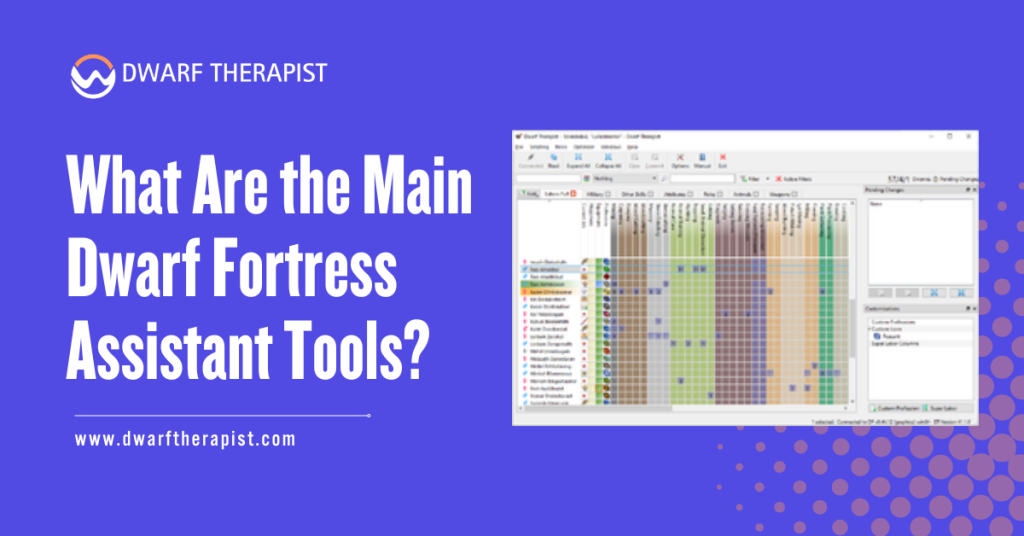
Dwarf Therapist is a standalone desktop application that runs alongside Dwarf Fortress. It connects to the game through memory reading and presents every dwarf and every labor assignment in a single scrollable grid.
Tasks that would take 10 to 15 minutes through the base game interface are completed in under 2 minutes using DT. The built-in skill overlay displays aptitude ratings across every dwarf and every labor column simultaneously.
This allows informed role assignment without opening individual dwarf profiles one by one. DT also supports saved profiles, which are reusable labor templates that can be applied instantly to new dwarves during migrant waves or fresh fortress setups.
DFHack: Scripting, Automation, and Game Extension
DFHack is a modding framework that embeds directly into the Dwarf Fortress process at launch. It does not run as a separate application. It loads with the game and provides a console, a scripting engine, and hundreds of built-in plugins.
Its script library covers automated stockpile management, military equipment assignment, population cap control, bug patching, and interface improvements.
DFHack also includes a labor plugin called manipulator that provides basic in-game labor grid functionality.
However, manipulator is less visually detailed than Dwarf Therapist for dedicated workforce management purposes. Its real strength lies in automation and game extension, not labor assignment precision.
Comparing Core Features Across Leading Tools
The Dwarf Fortress tool ecosystem includes more than just DT and DFHack. Several other utilities serve specific roles that neither of those tools covers, including lore browsing, isometric rendering, and three-dimensional fortress visualization.
Comparing all major tools side by side helps clarify which ones belong in your active toolkit and which ones serve occasional or specialized needs.
Feature Depth and Practical Scope
Each tool occupies a distinct functional role within the Dwarf Fortress ecosystem. Overlap is limited to specific areas, but the tools are largely complementary rather than competitive.
DFHack’s breadth is unmatched. It addresses gameplay mechanics, interface limitations, save editing, bug patching, and automation within a single framework.
Its learning curve is steeper than DT because its power comes through command-line interaction and script configuration. Dwarf Therapist’s strength is specificity. It handles labor management better than any other available tool.
Its visual interface requires no scripting knowledge and delivers immediate, reliable results.
| Tool | Primary Function | Interface Type | Skill Required | Version Sensitivity | Steam Compatible |
| Dwarf Therapist | Labor management | Standalone GUI | Low | High | Yes, specific build |
| DFHack | Scripting and automation | In-game console | Medium to High | High | Yes, specific build |
| Legends Viewer | Lore and history exploration | Standalone GUI | Low | Medium | Yes |
| StoneSense | Isometric visualization | Standalone renderer | Low | High | Limited |
| Armok Vision | 3D fortress viewer | Standalone renderer | Low | High | Limited |
Limitations and Known Constraints
Every tool in this ecosystem carries version sensitivity as its most critical limitation. After major Dwarf Fortress patches, there is typically a delay before compatible tool versions are released.
During that window, using an outdated tool increases the risk of corruption and data errors. DFHack benefits from a larger development team and generally updates faster than Dwarf Therapist after game patches.
However, individual DFHack scripts can break independently of the core framework when game internals change.
Legends Viewer, StoneSense, and Armok Vision carry lower risk because they do not interact directly with the live game process.
Key limitations across all tools:
- None of these tools are officially supported by Bay 12 Games
- All require manual version verification after every Dwarf Fortress update
- DFHack scripts must be individually checked for compatibility after major patches
- Using any mismatched version risks save corruption or incorrect data states
- Visualization tools have limited compatibility with the Steam version’s updated renderer
When to Use DT, DFHack, or Both Together
Knowing which tool to reach for in a specific situation significantly reduces troubleshooting time. Many players install both DT and DFHack but only use one when the other would have solved the problem faster.
Matching the right tool to the right problem is what separates an efficient multi-tool setup from a cluttered one.
Choosing the Right Tool for Your Fortress Stage
Early game fortresses benefit most from Dwarf Therapist. Getting labor assignments correct quickly is the first priority in any new fortress, and DT’s profile system handles this faster than any alternative.
DFHack’s automation features become more valuable as fortress complexity and population grow throughout the mid- and late-game. Mid game is where DFHack begins delivering consistent returns.
Automated stockpile linking, job suspension management, and bugfix scripts address problems that become more frequent as production scales up. At this stage, running both tools simultaneously is the most practical approach.
Late game fortresses with large populations benefit from the full combined stack. DT manages workforce role assignments while DFHack handles automation, bug correction, and interface extensions the base game cannot provide at scale.
Practical Scenarios and Recommended Tool Combinations
For workforce issues such as stalled workshops, ignored jobs, or migrant-wave management, Dwarf Therapist is the primary tool. Its labor grid exposes assignment problems faster than any in-game interface or DFHack script.
For automation problems such as incorrect stockpile behavior, drifting burrow assignments, or repetitive job scheduling, DFHack scripts provide the most direct and reliable solution.
Recommended combinations by use case:
- New fortress setup: Dwarf Therapist with saved role profiles
- Bug correction and save repair: DFHack exclusively
- High population labor management: Dwarf Therapist primary, DFHack manipulator as reference
- Lore and history exploration: Legends Viewer exclusively
- Automated production management: DFHack with relevant scripts active
- Full fortress optimization: Dwarf Therapist and DFHack running simultaneously
- Visualization and recording: StoneSense or Armok Vision as standalone additions
Installing and Managing Multiple Tools Safely
Running multiple Dwarf Fortress tools simultaneously requires a clear installation process and an update protocol. Without both, a single game patch can break your entire toolkit and put your active fortress saves at risk.
The installation order, version verification steps, and backup habits covered here apply to every tool in this comparison.
Safe Installation Order and Configuration
Install DFHack first as it integrates directly into the game directory. Confirm it loads correctly and displays its version in the game console before installing anything else.
Install Dwarf Therapist second as a standalone application and point it to the correct Dwarf Fortress executable during setup. Run both tools with a disposable test save before using them on any fortress you want to preserve.
Never install tools from unofficial mirrors or aggregator sites. Use the official GitHub repositories for every tool listed in this guide. These repositories maintain version histories that allow rollback to a compatible release if a new update causes problems.
Maintaining Tool Stability After Game Updates
Dwarf Fortress updates frequently break tool compatibility, particularly major version releases. Establish a personal update protocol before your first major game patch to avoid losing active progress in Fortress.
When an update releases, do not update the game immediately if you have a fortress in progress. Wait for confirmation from the DT and DFHack communities that compatible versions are available. Both projects maintain active GitHub release pages and community Discord servers where compatibility status is posted promptly.
Safe update protocol for multi-tool setups:
- Back up your entire Dwarf Fortress directory before any game update
- Check DFHack and Dwarf Therapist GitHub pages before updating the game
- Test updated tools on a disposable save before applying to your primary fortress
- Never run a tool version that does not explicitly list your current game version as supported
- Keep one previous game version folder archived for rollback if needed
- Review DFHack script changelogs individually after major framework updates
This comparison reflects community-informed analysis based on documented tool behavior, active project maintenance records, and practical application across multiple Dwarf Fortress versions and release stages. No promotional relationships exist with any tool developer or project referenced in this guide.
Frequently Asked Questions
Can Dwarf Therapist and DFHack be used at the same time?
Yes, and this is the recommended approach for most experienced players. They serve different functions and do not conflict when both are correctly version-matched to your installation. DT handles labor management while DFHack handles automation and bug correction.
Is DFHack considered cheating in Dwarf Fortress?
Dwarf Fortress is a single-player game with no competitive component, so the concept of cheating is a matter of personal judgment. Most players use DFHack’s bugfix and automation scripts and consider them legitimate quality-of-life aids rather than unfair advantages.
Which tool is better for beginners, DT or DFHack?
Dwarf Therapist has a lower learning curve because its interface is entirely visual and requires no scripting. DFHack is more powerful but requires console familiarity. Most players find DT more immediately useful during their first several fortress attempts.
Do these tools work with the Steam version of Dwarf Fortress?
Both DT and DFHack have builds compatible with the Steam premium version but require specific releases built for it. The classic free version and the Steam version require different tool builds. Confirm compatibility on each tool’s official GitHub page before installing.
What happens if I use an outdated version of either tool?
Using a mismatched version can cause the tool to read incorrect memory addresses, display wrong data, or write corrupted values to your save file. Always verify version compatibility after any game update and back up saves before making bulk changes.
Is Legends Viewer safe to use alongside DFHack and Dwarf Therapist?
Yes. Legends Viewer operates on exported data files and does not interact with the live game process. It carries no conflict risk with DFHack or Dwarf Therapist and can be used freely at any point during or after a session.
Can DFHack fully replace Dwarf Therapist?
DFHack includes a manipulator plugin with basic labor grid functionality, but it is less detailed and less efficient than Dwarf Therapist for focused workforce management. Players who prioritize labor optimization consistently prefer DT for that specific function even when DFHack is already installed.
Are there tools specifically for military management in Dwarf Fortress?
DFHack includes several scripts that assist with assigning military equipment and managing squads. No dedicated standalone tool for military management comparable to DT for labor currently exists. Most military optimization relies on DFHack scripts combined with careful in-game squad configuration.
Latest Post:
- Domain WHOIS: A Complete Guide to Domain Registration Information
- How Dwarf Therapist Works (Labors, Skills & Assignments Explained)
- Dwarf Therapist Supported Versions (Steam & Classic)
- Dwarf Therapist Features You Should Know (Reports, Filters, Profiles)
- Is Dwarf Therapist Safe? Security, Mods & Stable Downloads